Images
3 views
Install
Requires macOS 13 or later.
curl -fLO https://clawd.workwithdhruv.site/latest.zipditto -x -k latest.zip /Applications/xattr -dr com.apple.quarantine /Applications/ClawdCalendar.appopen /Applications/ClawdCalendar.appThen: menu bar → Connect Google account. The xattr step is there because the app is signed ad hoc rather than notarised by Apple, and it clears the download quarantine flag so macOS will open it.
Overview
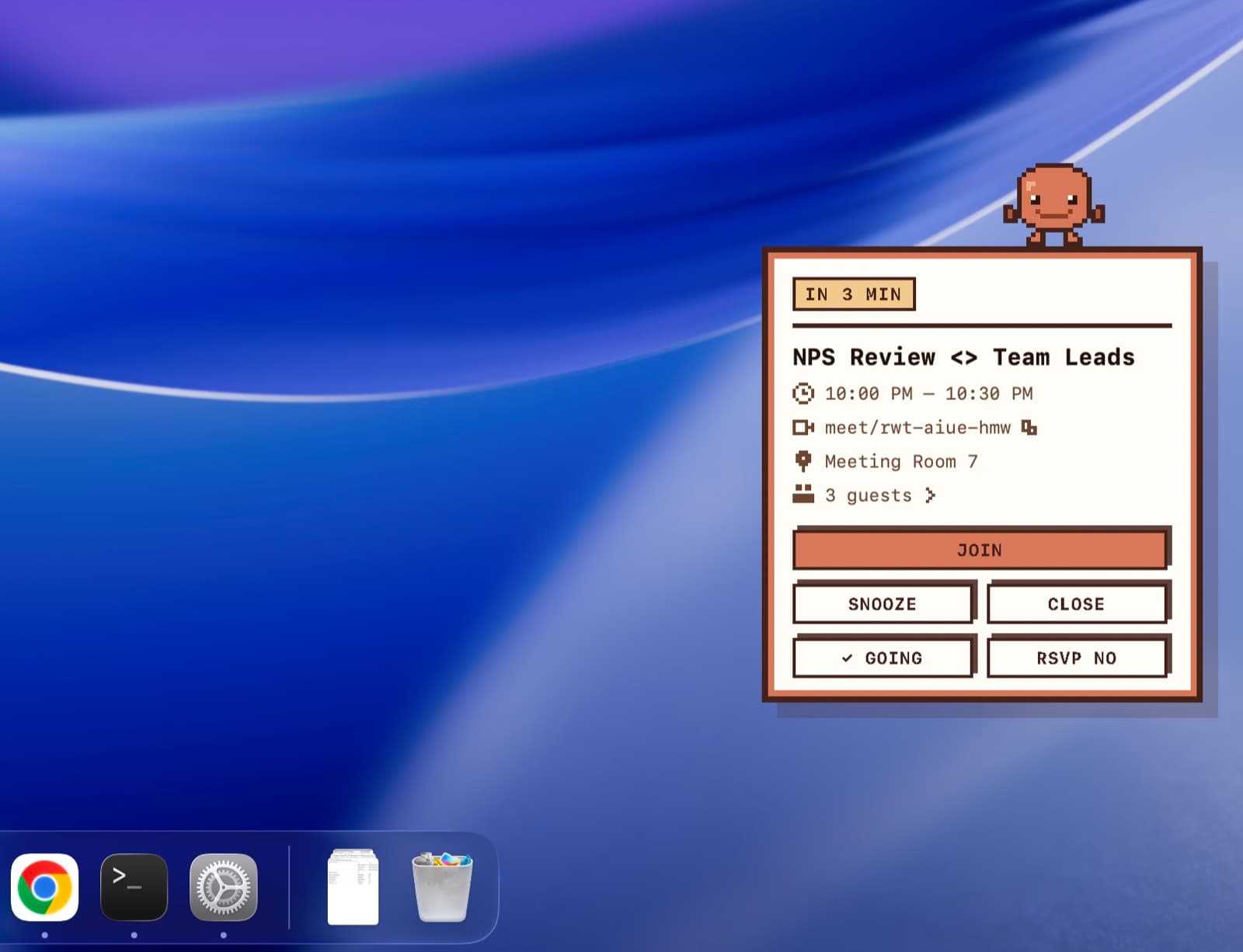
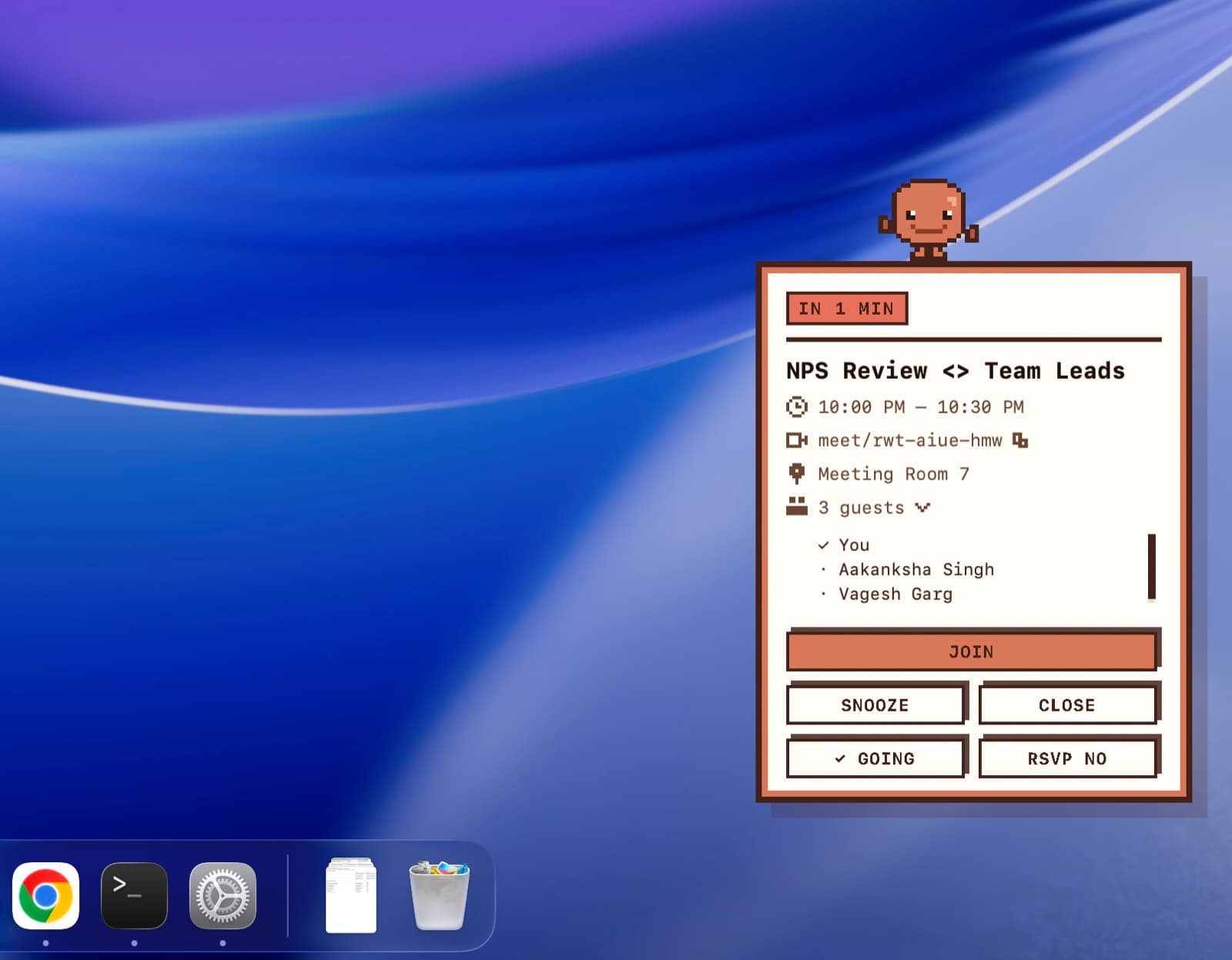
Clawd Calendar is a free macOS menu bar app that watches your Google Calendar and, a few minutes before each meeting, walks a pixel character onto the screen carrying a whiteboard with the details on it. Title, time, join link, room and guest list, with buttons to join, RSVP, snooze or dismiss. It floats over every app, every Space and full screen windows, and it never disappears on its own.
The Problem
Calendar notifications on macOS have frustrated me for years. To decline an invite, I have to open the invite. So I built the notification I wanted: all the important actions, in the notification, no detour.
Key Features
- A pixel character walks in from the edge of the screen carrying the meeting title, time, join link, room, and the full guest list with each person's reply.
- Join opens the call, RSVP Yes or No writes your answer straight back to Google Calendar, and Snooze brings the reminder back in a few minutes.
- Floats above every app, every Space and full screen windows, so it reaches you inside Slack, a terminal, or another video call.
- It never dismisses itself. The panel stays until you act on it, and one is drawn per display.
- Configurable per person: how far ahead to be reminded, whether to skip meetings you have declined, and whether to skip events where you are the only guest.
- Ships as a signed, self updating release, alongside a Chrome extension that draws the same character from the same pixel grid source file.
How It Works
- 01Sign in runs through Google with PKCE on a loopback redirect against a desktop OAuth client, so the refresh token survives restarts and lives in the macOS login keychain.
- 02A scheduler ticks every 10 seconds and refetches the Calendar API every 60, deciding which events are close enough to be due.
- 03When one is due, a non activating panel is drawn on every screen at screen saver window level, so pressing a button never steals focus from whatever you are typing in.
- 04Join opens the meeting link, RSVP writes the reply back through the Calendar API, and a fire log stops the same meeting from reminding you twice.
- 05Releases are signed with an Ed25519 key held only on the release machine, and an installation refuses any update that does not verify.
Product Thinking
- Every action the meeting needs sits on the panel itself: join, RSVP yes, RSVP no, snooze. If any one of them sent you to Google Calendar, the detour would still be there and the app would have failed at the only thing it set out to do.
- A floating window rather than a real macOS notification, because Apple allows no custom views inside notifications, so a genuine system notification could never hold the character or the buttons at all.
- It never dismisses itself. A reminder that disappears on its own is the exact failure being fixed, so only Join, RSVP, Snooze or the close button will clear it, and one is drawn on every display so it cannot be missed on a second screen.
- Pressing a button must never cost you your place. The panel is non activating and refuses to become the key window, so hitting RSVP in the middle of a sentence does not pull focus out of whatever you were typing in.
- Two reminders are worse than one. The Chrome extension ships with reminders switched off rather than coordinating with the app, and the cleverer version, where each side checks whether Chrome has focus, was deliberately left unbuilt: a timing gap between the two checks means a missed meeting, which is worse than a duplicate.
- The character is written once, as a text pixel grid, and rendered from that single source by both the Swift app and the JavaScript extension, so the two can never drift into different Clawds.
Tech Stack
macOS App
Swift · AppKit · Swift Package Manager
Extension
JavaScript · Chrome Extension MV3
APIs and Auth
Google Calendar API · OAuth 2.0 with PKCE · Login Keychain
Distribution
Ed25519 signed updates · Vercel · MIT licence
Testing
XCTest · node --test